







Home services landing pages should match the service and urgency behind the visit. Emergency customers need clear coverage, truthful availability, and an easy way to contact the team. Planned-project customers need scope, process, credible evidence, and a clear assessment or estimate request. Both paths need accurate routing and tracking.

Someone dealing with an active plumbing problem is making a different decision from a homeowner comparing a bathroom renovation. The first needs to know whether a qualified provider can help. The second needs confidence about a larger commitment.
Sending both visitors to one generic page asks the website to resolve two different conversations at once.
That can make the copy broad, the next step unclear, and the lead harder to route. The solution is not necessarily more pages. It is a better match between the customer’s need and the path you offer.
Start With the Promise Made Before the Click
Review the ad, keyword, or referring content that brought the visitor to the page. What service did it describe? What expectation did it create? What action did the visitor reasonably expect to take?
Google recommends closely aligning landing pages with ads and keywords. Its guidance also emphasizes easy navigation, mobile usability, and making contact actions straightforward.
The business consequence is simple: a visitor should not have to work out whether the company provides the advertised service.
If an ad promotes water heater replacement, a general plumbing homepage may leave the customer searching for the relevant details. If an ad promotes emergency repair, a long project portfolio can delay the contact action the visitor came to make.
Organize pages around meaningful service and decision differences. Avoid producing nearly identical pages just to multiply URLs.
Design Emergency Pages for Fast Understanding
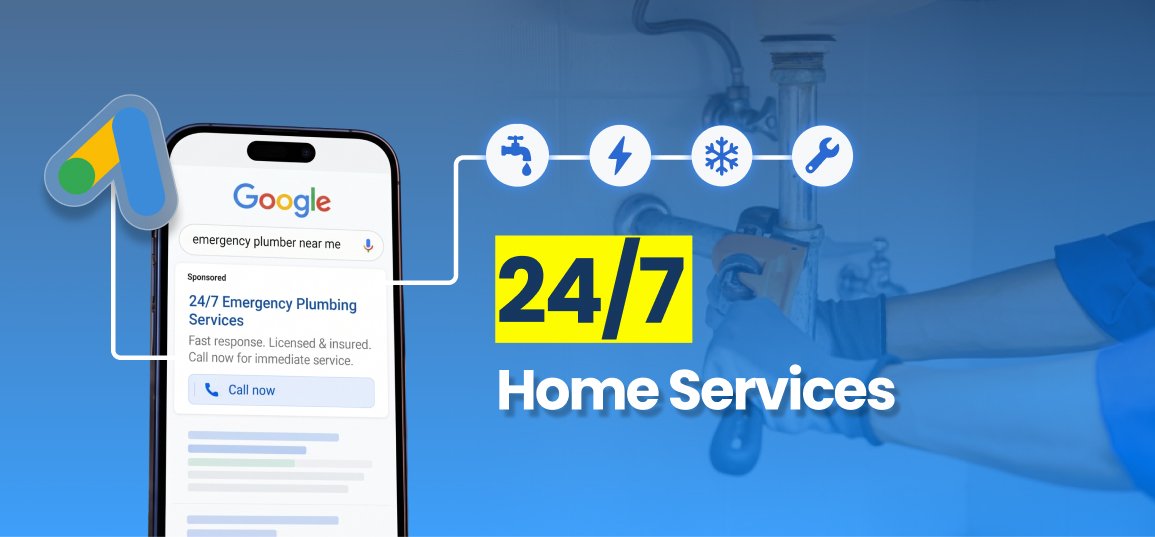
An emergency-oriented page should quickly establish what the company handles, where it works, and how to reach a person who can confirm availability.
The opening should identify the service without relying on slogans. Place the contact action where a mobile visitor can find it. Explain the area served and what happens when the customer calls.
Use only supported response and operating-hour claims. “Available 24/7” is an operational promise, not a design element. If the team offers limited after-hours coverage, say so clearly.
Prioritize relevant trust information: actual qualifications, genuine reviews, and an understandable process. Do not bury the phone number beneath a long company history.
A focused plumbing marketing approach connects high-intent searches with a relevant page and a working call path. The page is one part of that system, not a substitute for answering the phone.

Give Planned Projects Enough Information to Evaluate
A homeowner comparing a renovation, roof replacement, or major HVAC project may need more explanation before requesting contact.
Explain the service scope, assessment process, what an estimate covers, and how the customer can prepare. Show real work where permission and accurate context are available. Describe relevant decisions without pretending every property receives the same recommendation.
An assessment or estimate request may fit this page better than an urgent “Call Now” message. A call option can still be available, but the primary action should reflect the decision the page is helping the homeowner make.
The page should reduce uncertainty without inventing a final price or outcome. Explain which factors influence a quote and when the company can provide one. If financing or warranties are mentioned, use actual terms rather than generic claims.
The objective is a qualified conversation with a homeowner who understands the next step.
Ask for Information You Can Act On
Forms should collect what the team needs to route and respond to the request. More fields are not automatically better qualification, and fewer fields are not automatically better business performance.
For a planned project, useful information might include location, project type, contact details, and preferred timing. An emergency path may place the call first and provide a short form as an alternative when appropriate.
Explain what happens after submission. Does the team confirm coverage, schedule an assessment, or call to discuss the project? Do not label a request form “Book an Appointment” if it does not create a confirmed booking.
Keep communication preferences and permissions clear. Avoid collecting information simply because a form template includes the field. Make the confirmation reflect the actual service process and response expectations.
Use Proof That Matches the Customer’s Decision
Proof should answer a relevant concern. A renovation visitor may want to understand project communication and scope control. An urgent repair visitor may care more about qualifications and how service is confirmed.
Use genuine reviews and accurately described work. If a testimonial is unavailable, omit it rather than write a realistic-sounding substitute. Do not portray illustrative photographs as a completed customer job.
Where you have a case study, preserve the metric and its meaning. Leads are not jobs. Conversions are not revenue. A result from a different service category may establish experience, but it does not predict this customer’s project outcome.
White Shark Media’s current profile includes 15+ years of experience and $750M+ in managed ad spend. Those credentials describe agency experience; they do not guarantee a landing page’s conversion rate.

Connect the Page to the Right Response Process
A page can generate a qualified request and still fail to create a job if the handoff is wrong.
Tag or record the service and customer intent. Route urgent requests to the appropriate intake path. Route project assessments to the team that can discuss scope and scheduling.
Preserve the source and page information in the CRM where the setup supports it. Assign an owner and define what counts as a meaningful response. Test both paths before launching traffic.
This is why lead generation needs campaigns, pages, messaging, and follow-up to work together. The conversion event starts the next stage; it does not finish the customer journey.
Avoid using a generic automated message that promises immediate assistance for every inquiry. The message should match actual availability and the service requested.
Test the Experience on a Real Phone
Review the page with someone who is not involved in building it. Give that person a scenario: an urgent service request or a planned project inquiry.
Ask whether the service is clear, whether coverage can be confirmed, and whether the next step is obvious. Test buttons, forms, confirmation messages, and routing. Check that important content is readable without zooming or searching through menus.
For planned projects, check whether the person can understand the assessment before submitting. For urgent needs, check how quickly the person can find the contact action.
A technical form test should continue into the CRM or inbox. Verify that the assigned team receives the right information and can see which page produced it.
Measure Each Path Separately
Compare urgent and planned-project pages against the outcomes they are designed to support. An urgent call path may be evaluated through qualified calls and booked service. A project path may require assessment attendance, estimate delivery, acceptance, and completed revenue.
Do not judge the two pages solely by form submission rate. A page that produces fewer inquiries can still create better opportunities if it sets expectations accurately.
Change one meaningful element at a time where possible: the opening message, primary action, proof placement, or form requirement. Allow enough time for the normal customer decision process before interpreting downstream results.
Practical Takeaway
Emergency and planned-project customers should not have to navigate the same decision path. Match the page to the service, urgency, and actual next step, then verify that intake can deliver the promise.
If your ads generate visits but the website is not producing enough qualified calls or assessments, Book a Growth Session to review the connection between campaign intent, page experience, and follow-up.
Frequently Asked Questions
Does every home service need its own landing page?
No. Separate pages when services or decision paths differ meaningfully. Related services can share a page when visitors receive clear, relevant information and an appropriate next step.
Should an emergency landing page remove all forms?
Not necessarily. A prominent call action may be appropriate, with a short alternative form when it serves the customer. The contact options should reflect real intake capability.
Should planned-project pages be longer?
They may need more explanation, but length is not the objective. Include the information needed to understand the scope, process, evidence, and assessment. Remove content that does not help the decision.
Can a landing page promise same-day service?
Only if the business can support the claim and clearly explain any relevant conditions. Do not use availability language that exceeds operating capacity.
What should we track after a form submission?
Track response, qualification, the appropriate appointment or assessment, and the eventual business outcome. A form submission alone does not show whether the page created valuable work.