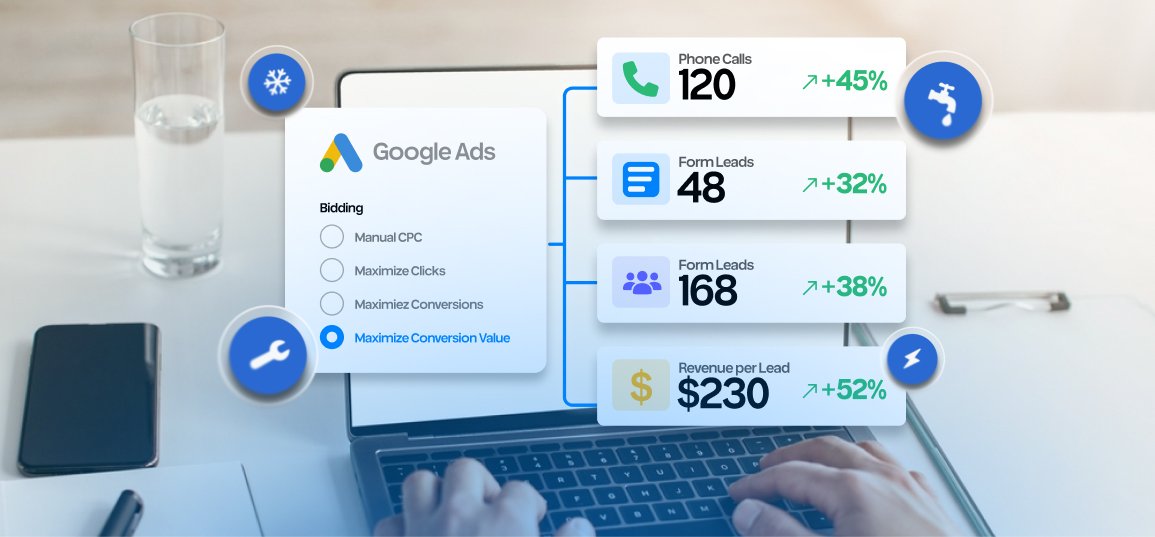








Google changed how campaigns marked “Limited by budget” work with target-based bidding on August 17, 2026. The practical consequence is simple: if a campaign had been beating the Target CPA or Target ROAS entered in the account, Google may now steer performance closer to that stated target.
That does not mean Google Ads suddenly became unprofitable. It means the number in the target field matters more than many advertisers assumed. A local service company that entered a $200 Target CPA while historically paying $130 may see the system become more willing to acquire leads closer to $200. Whether that is acceptable depends on what a qualified lead, booked job, or new customer is actually worth.
The right response is not a reflexive budget cut. It is a short business-level audit of targets, conversion quality, and capacity.

What changed in Google Ads?
Google says budget-limited campaigns using Target CPA or Target ROAS now optimize more consistently toward the target the advertiser entered, including when budgets change. The update applies across Search, Shopping, Performance Max, Demand Gen, and Travel campaigns that use an affected target-based strategy.
Before the update, some budget-constrained campaigns routinely performed better than their stated targets. Google’s own example describes a campaign with a $10 Target CPA that had actually been achieving $5. Under the new behavior, that campaign can move closer to the $10 target unless the advertiser changes the target or removes the budget constraint.
Google also introduced a Bid Target Adjustment Tool to help eligible advertisers compare the stated target with recent actual performance. The platform does not automatically rewrite daily budgets or targets. The account owner still has to decide which number reflects the economics of the business.
The official Google Ads explanation is platform guidance. It does not know your gross margin, close rate, cancellation rate, service-area limits, or technician capacity. Those inputs determine whether a target is financially sound.
Which local service campaigns need attention first?
Start with campaigns that meet all three conditions:
- The status is currently “Limited by budget” or was limited during the past year.
- The campaign uses Target CPA or Target ROAS.
- Recent actual performance was materially better than the target entered in the account.
A roofing campaign with a $250 Target CPA and a recent actual CPA of $165 deserves review. So does a dental campaign with a Target ROAS that was set months ago and no longer reflects treatment mix or collection rates.
Do not assume every performance swing after August 17 came from the bidding update. Search demand, competition, landing-page problems, missed calls, tracking changes, and lead quality can move at the same time. The update should be a diagnostic checkpoint, not a universal explanation.
The target field is not your profitability threshold
One of the most expensive mistakes is treating a platform target as a business goal without translating it into unit economics.
Suppose a home-service company can profitably pay $180 for a qualified opportunity. Its sales team closes 30 percent of qualified opportunities, and the resulting jobs produce enough gross profit to cover fulfillment and acquisition costs. A Target CPA of $180 may be rational if the conversion being optimized is truly a qualified opportunity.
But if Google counts every form submission, duplicate inquiry, out-of-area caller, and spam lead as a conversion, a $180 platform CPA says very little. The business may be paying far more for the opportunities that can actually become revenue.
Before changing a target, define the event behind it:
- A raw lead is a call or form submission.
- A qualified lead fits the service, geography, timing, and budget requirements.
- A booked appointment or estimate has progressed further.
- A sold job or new patient produces revenue.
The closer the optimization signal is to real business value, the more useful a target becomes.

A five-step audit for affected campaigns
1. Find the target and compare it with actual performance
Record the Target CPA or Target ROAS, recent actual result, daily budget, and budget status for every affected campaign. Use a period long enough to cover at least one or two normal conversion cycles. A seven-day snapshot can be misleading for businesses with delayed sales.
Google recommends evaluating performance over one to two conversion cycles after meaningful budget changes. That is especially important when a lead becomes a customer days or weeks after the first click.
2. Recalculate the maximum acceptable acquisition cost
Work backward from gross profit, not revenue alone. For lead generation, use:
Maximum cost per qualified lead = allowable customer acquisition cost x lead-to-customer rate
If the business can pay $900 to acquire a new customer and closes 25 percent of qualified leads, the maximum cost per qualified lead is $225. Add a safety margin for refunds, no-shows, seasonality, and operational variation.
3. Inspect the conversion action used for bidding
Confirm which conversions are primary and included in the bidding goal. Remove vanity actions from primary optimization when they do not represent intent. Check whether phone-call thresholds are meaningful and whether duplicate or spam submissions are inflating volume.
Do not change conversion settings casually in a live account. Document the current setup, preserve reporting continuity, and plan how the campaign will receive enough clean data after the change.
4. Choose the business decision before the platform setting
There are four common paths:
- Keep the current target when it accurately reflects profitable growth.
- Tighten the target when recent performance is stronger and the business wants to protect efficiency.
- Set a custom target based on the real maximum acquisition cost.
- Increase budget when the target is profitable, demand is available, and the team can serve more customers.
Switching to Maximize Conversions or Maximize Conversion Value is another option, but those strategies are designed to spend the available budget and can produce variable CPA or ROAS. They do not remove the need for sound conversion data.
5. Watch qualified outcomes, not only platform averages
Track qualified leads, booked appointments, sold jobs, collected revenue, and gross profit beside the platform metrics. Segment the results by campaign, service line, location, and lead type. An average can hide a profitable emergency-repair segment and an unprofitable low-value service segment in the same account.
What should you avoid changing all at once?
Google advises against adding data exclusions or bid limits solely because of this update. More broadly, avoid stacking unrelated changes that make the outcome impossible to diagnose. If you change the target, landing page, service area, conversion actions, and ad copy in the same week, you will not know which intervention helped.
There is one useful nuance: changing a target does not erase everything Smart Bidding has learned, although performance can still adjust. Google says automated bidding continues learning over time and recommends monitoring the bid-strategy report after a change.
Make the smallest set of changes needed to bring bidding into line with the business goal. Then allow enough time for the conversion cycle to play out.
The operational question behind the bidding question
Local service advertising is constrained by more than media budget. A campaign cannot create profitable growth if the phones go unanswered, the calendar is full, the service area is too broad, or the team cannot turn inquiries into appointments.
This is why the audit should include operations. Ask:
- Can the team answer and follow up quickly?
- Which jobs should receive incremental demand?
- Are there neighborhoods or service lines with open capacity?
- Does the CRM distinguish inquiries from qualified opportunities and sold work?
- How much additional demand can the business fulfill without hurting customer experience?
The correct target is the one that connects ad delivery to profitable, serviceable demand.
Frequently Asked Questions
Did Google automatically raise my Target CPA?
No. Google says it does not automatically change daily budgets or campaign targets as part of this update. The system changed how affected budget-limited campaigns optimize toward the target already entered.
Should I lower my Target CPA to match last month’s actual CPA?
Only if that result is based on clean conversion data, a representative period, and a target the business can sustain. A short-term low CPA may reflect seasonality, brand traffic, or low-quality leads.
Does increasing the budget reset Smart Bidding?
Google describes Smart Bidding as continuously learning. A meaningful change can create an adjustment period, so evaluate results over one to two conversion cycles instead of judging the next day.
What if my campaign is profitable but limited by budget?
If the target reflects real profit, lead quality is healthy, and the business has capacity, increasing budget may capture more conversions. Forecasts are directional, so scale in measured steps and verify booked revenue.
Turn the target into a business number
The 2026 bidding update makes an old lesson more urgent: the platform will follow the target you give it, but it cannot decide whether that target is good for your company. Clean conversion data, realistic economics, and operational capacity have to come first.
Use White Shark Media’s Free Call Estimate Calculator to pressure-test how budget, lead volume, and booked jobs may connect before you change spend.